Set up your project in four steps
Hemma reads your documents, tracks your money, watches your contractors, and tells you what needs your attention. You make the decisions. Hemma handles the rest.
Right after signup, Hemma walks you through a short guided setup: three quick questions, then the pile — hand over every document you have in one go, and Hemma reads the lot while you look around. Reading takes roughly a minute a document, and the screen says how much longer it has to go, so a big pile is a real wait. You do not have to sit through it: ask Hemma to email you when it is done, close the tab, and come back to the finished picture. The steps below describe life after that setup, and they work exactly the same if you skipped the pile and are starting from empty.
01Give Hemma your first document
An invoice works best. It has the most information for Hemma to extract. A contractor name, amounts, a due date, a VAT number. One document and Hemma already knows who you are working with and what you owe.
Tap the camera button at the bottom right of the screen on your phone, or Add in the top bar on a computer. Choose a photo or file, and upload it. Hemma starts reading immediately.
In about thirty seconds, you will see what Hemma found: the contractor, the total amount, the due date, and more. If something looks off, you can correct it with one tap. If it looks right, confirm and move on.
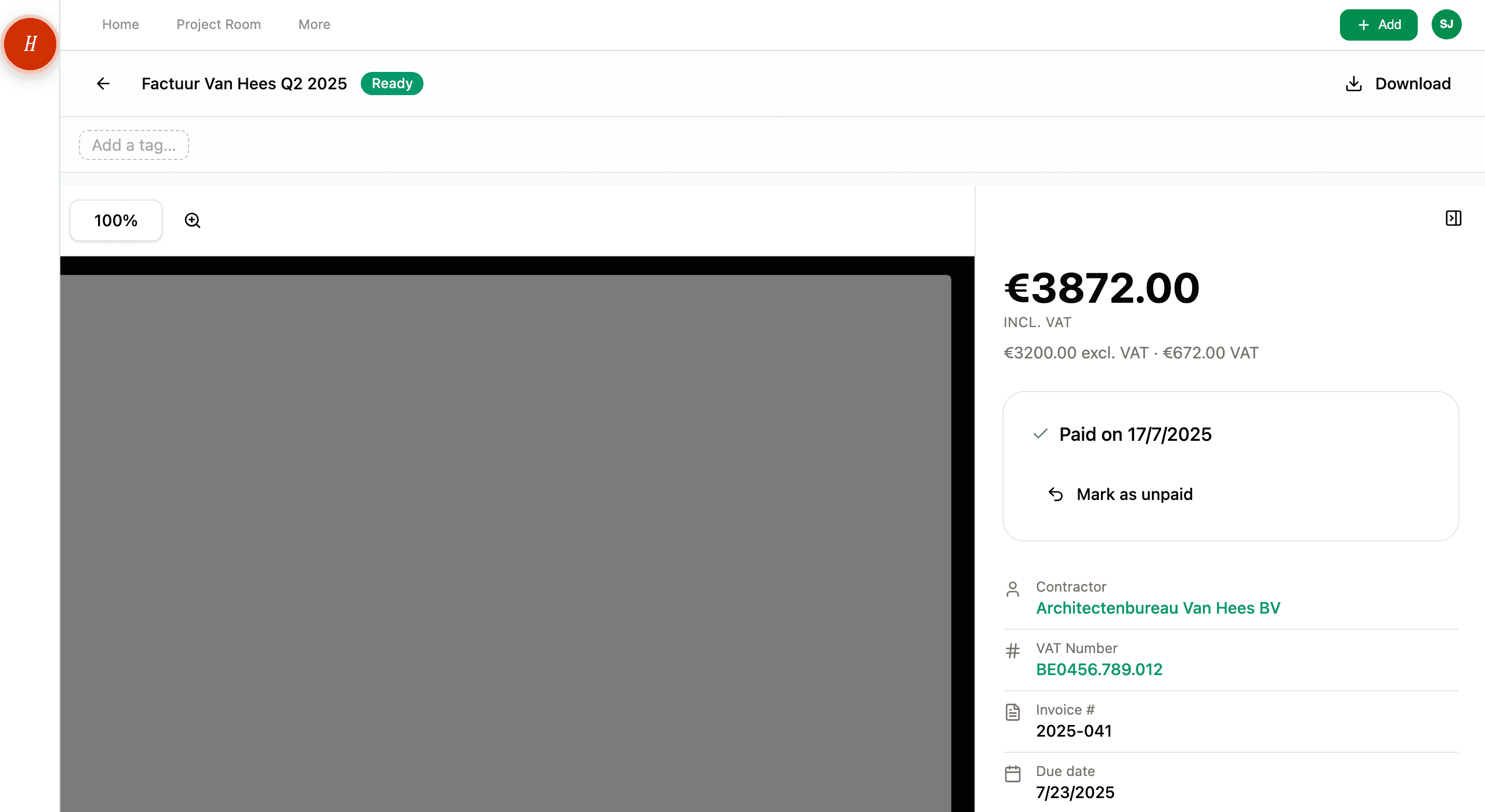
You can also take a photo directly from your phone. Hemma reads photos of invoices just as well as PDFs.
02Set up your project email
This is the most powerful feature in Hemma. Every project gets a unique email address. Give it to your contractor, your architect, or your municipality. Everything they send arrives in Hemma automatically. Attachments get processed, amounts get tracked, due dates get added to your calendar.
You will find your project email address on the home screen, or under Settings → Project. Copy it and forward your next invoice to it. That is all you need to do.
From now on, whenever a contractor sends you a document, forward it to this address. Hemma does the rest.
03Import your budget
If you already have a construction budget in Excel, and most people do, Hemma can import it directly. Go to Budget → Import from Excel, drop your file, and Hemma will map your columns and structure your budget automatically.
Once your budget is in place, something changes. Every invoice and quote you upload from now on gets linked to a budget line. You see exactly what you have spent, what you have committed, and what is left. In real time.
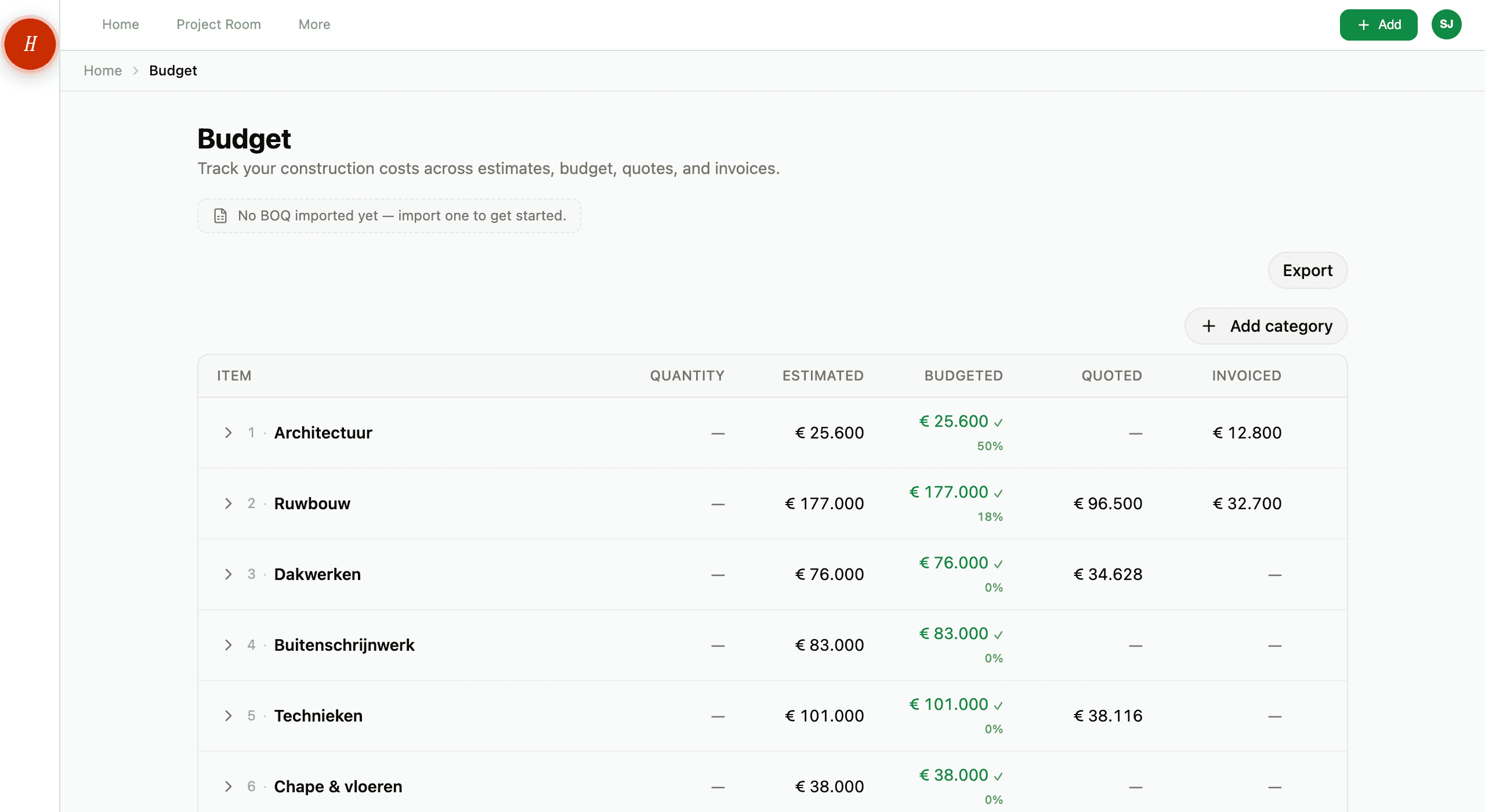
If you do not have a budget file yet, you can start from scratch. Add categories manually or download a template to fill in offline.
Most users import their architect's cost estimate or the spreadsheet they built themselves. Both work.
04What happens next
That is it. Your project is set up. From here, Hemma works quietly in the background:
- Documents you upload or forward are processed automatically.
- Your budget updates in real time as invoices and quotes come in.
- Contractors are tracked. Hemma checks their company status and VAT number for you.
- Due dates and events appear on your calendar.
- When something needs your attention, Hemma tells you on your home screen.
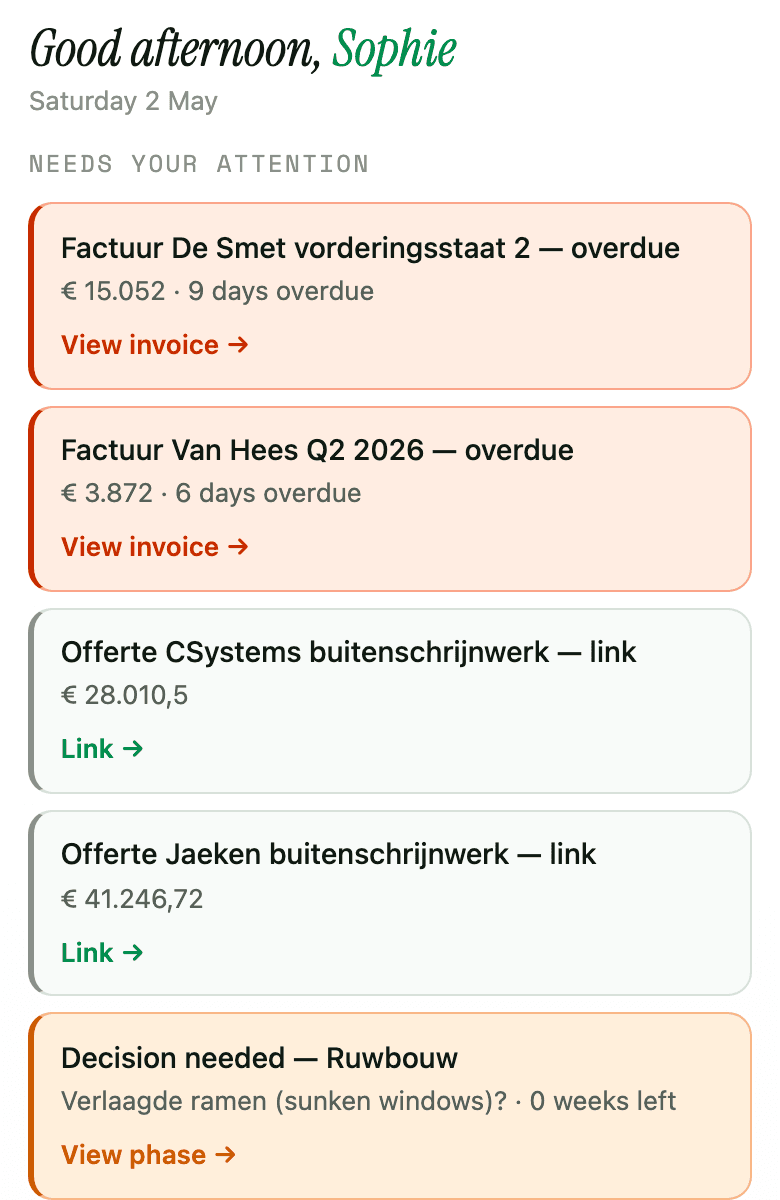
You do not need to check in every day. When Hemma needs a decision from you, it shows up where you already are. Your phone, your email, your calendar.
Your job is to build your home. Hemma handles the paperwork.